


Getting Started with AI Creator Search
AI Creator Search is the fastest way to go from "here's the kind of creator I want" to a shortlist ready for outreach. This walks through connecting your shop, running your first search, and getting results into a list — start to finish, in under five minutes.
Connect Your TikTok Shop
AI Creator Search reads real performance data — GMV, engagement, sample score — pulled straight from your connected TikTok Shop, not just public profile info. Go to Settings → Integrations and connect your shop once; every search after that already runs scoped to your own product catalog and category.
Describe the Creator You Want
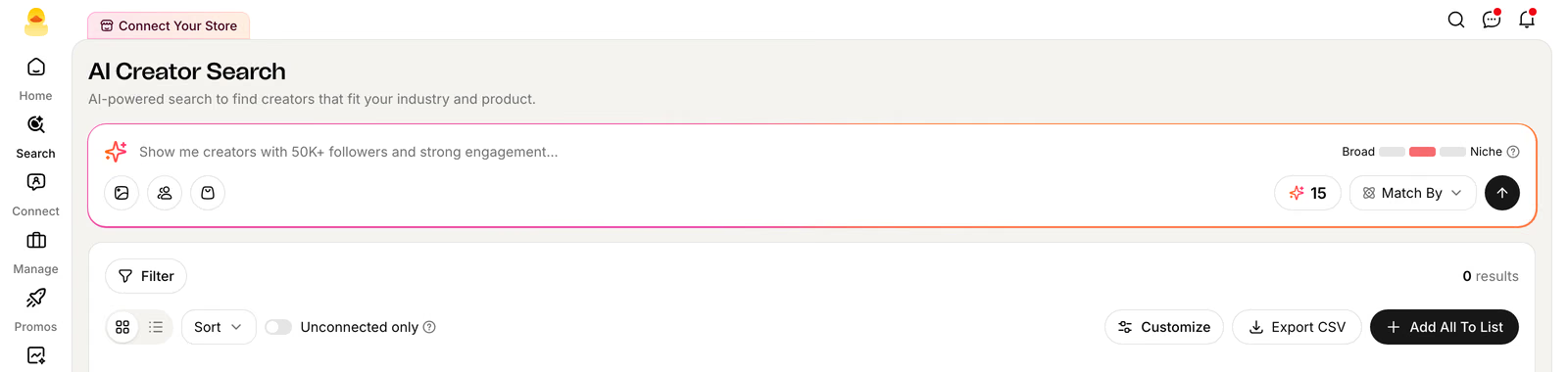
Skip the dropdowns for your first pass — type what you're looking for the way you'd describe it to a teammate: "Home & kitchen creators with 50K+ followers and GMV over $10K last month." Quacko's AI turns that sentence into a real search across profile data, video content, and performance, no filter names to learn yet.
Narrow It Down with Filters
Once you have a first pass, refine on the left with 20+ filters grouped into Performance (GMV, follower size, post rate, engagement, GMV tier), Creator (gender, language, ethnicity, content style), and Video (avg. views, face visibility). Save any combination you use often as a preset — it's one click on your next search instead of rebuilding it.
Save Your Best Matches to a List
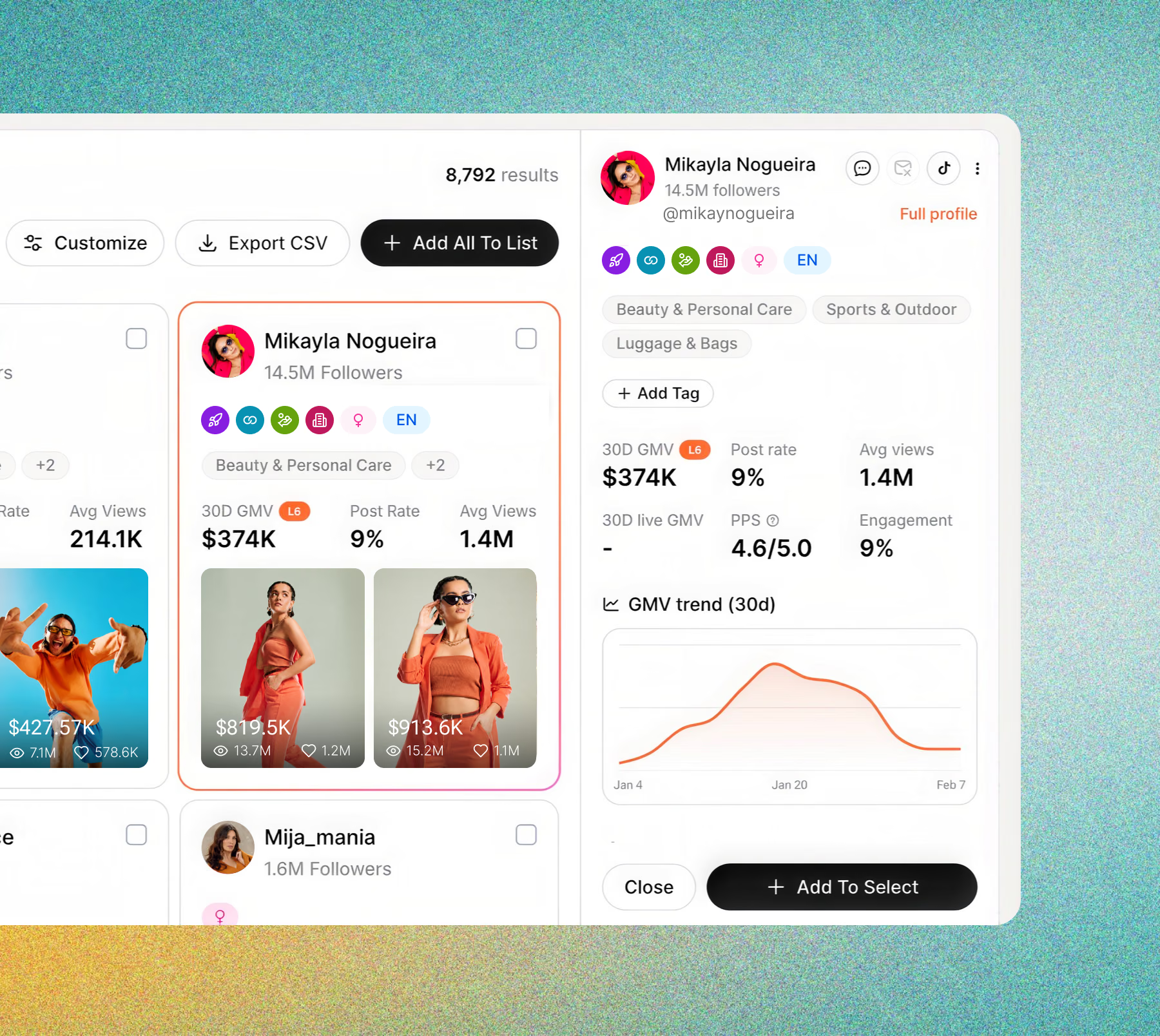
Open any result without leaving the page — 30-day GMV, post rate, and a GMV trend chart are all in the side panel. Select the creators you want and add them to a list; lists are what Outreach, Sample Requests, and the Affiliate CRM all pull from later, so this is the one step every workflow in Quacko starts from.
Send Them to Outreach
From a list, push straight into Outreach — Quacko drafts a personalized invite per creator from your product page and their own content, so you're reviewing and sending instead of writing from scratch.
Tip
Star a search from the results page to save its exact filters as a preset — it shows up at the top of the filter panel on your next visit, so you're never rebuilding the same combination twice.